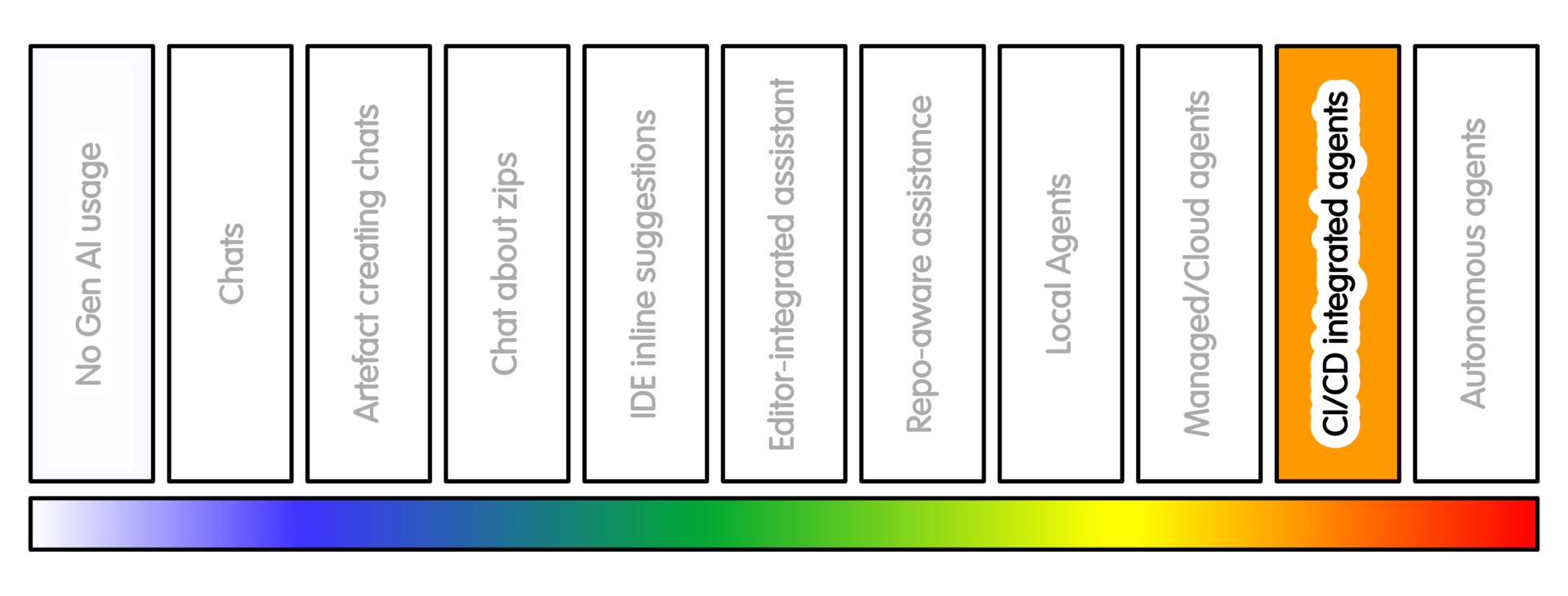
Overview
Here AI becomes part of the shared repository workflow.
This is different from asking a managed coding agent to work on one task. At this level, AI is present in the project process itself.
It may summarise pull requests, comment on proposed changes, suggest review checklists, explain failing CI, triage issues, draft release notes, suggest dependency updates, or create a stream of candidate maintenance work.
This is usually a maintainer or project-team decision. It is not normally an individual researcher decision.
CI means automated checks run by the project. These may include tests, linting, type checking or documentation builds.
A PR, or pull request, is a proposed change submitted for review before it becomes part of the main project. Similar ideas exist in GitLab as merge requests.
Examples include GitHub Copilot pull request summaries or review, GitLab Duo merge request support, Gemini Code Assist pull request review, dependency-update bots, repository automation, and project-specific AI checks.
At this level the question is less: “Can this help one person?”
The question is: “What does this do to the shared project workflow?”
Getting Started
As with other examples of interaction with a repository, follow the guidance around maintaining a separate repository for automation support from the repository used by team members. Such separation can make it simpler to maintain team development flow while taking advantage of automation benefits.
For a concrete first example, assume a GitHub repository. As before, this is to avoid being abstract and similar techniques will apply to scenarios using GitLab, Jenkins, JFrog Artifactory, etc. (Integration details will differ)
Do not start by allowing AI to create pull requests, merge code, update dependencies across the project, or act on every issue.
Start with low-intrusion support.
For example:
- Enable AI-generated pull request summaries
- Ask for a review checklist on selected pull requests
- Ask for an explanation of a failing CI job
- Use AI to draft release notes for maintainer review
- Use AI to suggest missing tests, without changing code
This keeps the AI close to explanation and review support. It does not give it authority over the project workflow.
Before enabling repository-level automation, decide:
- Who is allowed to enable it
- Which repositories it applies to
- Whether it can comment automatically, create issues or pull requests, trigger CI, access secrets, update dependencies
- How AI-generated activity will be labelled
- Who is expected to review the output (and how)
Start with one repository and one workflow.
A reasonable first trial might be:
- “Use AI to summarise pull requests and suggest reviewer checklists. Do not allow AI-created pull requests. Do not allow automatic dependency updates. Do not allow automatic merge. Review whether the summaries help maintainers or add noise.”
If the project later enables AI-created issues or pull requests, add stronger controls:
- Clear labels for AI-generated or AI-assisted activity
- Rate limits
- Branch protection
- Required review by a maintainer or designated reviewer
- Restricted CI permissions
- No access to secrets from untrusted code
- No automatic merge
- No automatic release or publish step
If you are not a maintainer, do not add repository agents, bots or automated pull request tools to a shared project without agreement from the project owner or maintainers.
The aim when getting started is to identify benefits to the project. The risk at this stage is mistaking activity for improved project workflow. Starting small, with separation, makes that easier to evaluate.
Sample Appropriate Practice
- Useful project pattern
Consider an AI staging repository or bot-only staging area.
The canonical repository remains the project-governed space.
An AGENTS.md or equivalent instruction file can tell agents not to open PRs directly against the main repository.
Instead, agents prepare candidate patches elsewhere.
Maintainers or designated contributors can review, adapt and promote selected work through the normal contribution process. This reduces blast radius. It provides a place to evaluate which AI-generated contributions are actually useful.
- Low-intrusion starting point
Use AI to draft a PR summary, suggest a review checklist, or explain a CI failure. Keep decision, review and merge authority with maintainers or designated reviewers.
Concerns/Risks
The main risk is maintainer overload.
AI-generated activity can look helpful while consuming attention. This includes duplicate issues, plausible but low-value PRs, repeated suggestions, noisy review comments, or dependency updates that are technically correct but not useful.
For open-source research software, maintainers are often few and domain context is high. Attention is a scarce resource.
AI-generated work can bury the conversations that matter: scientific assumptions, validation, roadmap choices, user needs and domain constraints.
If automation overwhelms or hides those conversations, it is harmful to the project and the individuals working on it.
There is a provenance risk. If AI-generated work enters the project through ordinary-looking PRs, it may become unclear who owns the change, who checked it, and why it is correct.
Quality Practice
At this level, quality practice is partly project workflow design.
Configure the repository so that AI activity cannot bypass normal controls. Use branch protection, required reviews, restricted tokens, secret isolation, dependency review and clear contribution rules.
Make provenance visible. Label AI-generated or AI-assisted activity where appropriate. This includes issues, comments, pull requests, dependency updates and staged patches.
Require rationale curated by team members for promoted changes. This is especially important where scientific methods, dependencies, CI/CD, release configuration or data processing are affected.
Track whether repository AI is actually helping. Do not only count the number of suggestions, comments or pull requests.
Useful questions include:
- How many suggestions are useful after review?
- How much maintainer time do they consume?
- Do they create quality debt?
- Do they hide or improve project discussion?
- Do they produce duplicate or low-value activity?
- Is the rationale for each change clear? Can its provenance be tied back to a specific issue, requirement, or decision? Are changes small and atomic enough to review?
- Are changes small enough that
git blameand commit history remain useful when debugging later?
These questions aren’t just about governance. They’re about being able to identify under time pressure (eg 4am system failure) the key details around the who, what, why, where, when and how of a change without difficulty.
For AI staging repositories, make the obligation clear. Maintainers should not be expected to review everything the machine produces. The staging area is a filter. It is not a second inbox with unmanageable priority.
If automation overwhelms or hides project discussion, treat that as a quality problem. The tool may be producing activity while making the project harder to maintain.
AI Intensity Considerations
Stay at this level when repository automation provides a clear workflow benefit. For example, it may help with PR summaries, review checklists, CI diagnosis, release-note drafting, or maintenance triage. Open-ended autonomy should be justified by need - repository activity is not the same as project progress.
Reasons to decrease AI usage intensity here include:
-
When the same benefit can be achieved through other means - such as templates, documentation, CI, scripts, scheduled jobs, or a staged automation workflow.
-
When automation causes problems - such as hiding team discussions, increases review burden, weakens provenance, or creates activity without maintainable value.
Use more AI only as a separate governance decision - based on known issues and specific benefits. This may make sense when the project has a clear need for broader automation, a separated automation space, explicit ownership, review capacity, rate limits, restricted permissions, and a way to stop or roll back the workflow.
Training

Michael Sparks
The University of Manchester / Software Sustainability Institute
Michael Sparks, "CI/PR/repository agents (intensity 9)". everse.software. http://everse.software/RSQKit/ci_pr_repository_agents .