Overview
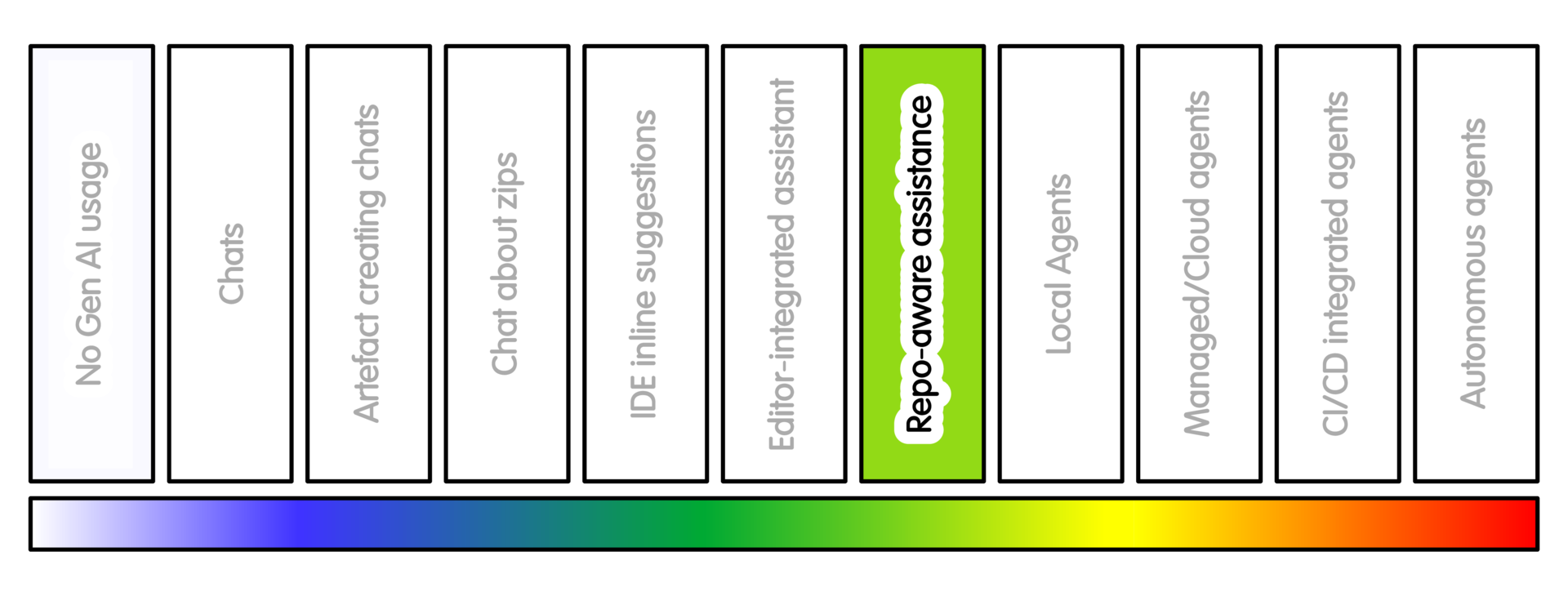
At this position, the tool can inspect or search across a repository.
This is different from uploading a zip file or pasting selected context. The tool may be working inside an editor, a local checkout, a repository service, or a coding assistant that can see more than the current file.
It can help you find where an option is defined, which tests relate to a feature, how a command flows through the code, where documentation is out of date, or where a small change might belong.
Examples include Cursor, GitHub Copilot in VS Code, Codex, Claude Code, Sourcegraph-style code search assistants, Continue, Cline, Zoo Code and similar tools.
The important feature is that the tool can search, summarise or reason across the repository.
This can be very helpful for orientation, especially in unfamiliar research codebases.
Finding relevant files is not the same as understanding the scientific reason for the code.
Getting Started
Begin read-only.
Use this practice first to understand the repository, not to change it.
A good first task is to ask the tool to map one thing: a command, a data-processing step, a configuration option, a failing test, a documented example, an installation or test workflow.
Ask the tool to cite the files, functions or configuration entries it used. Then check that those references are real.
For example, ask:
- “Find where this command starts. List the files and functions involved. Do not edit files.”
This is useful because many research projects have implicit structure. A script may call a package. A notebook may call a helper module. A command may depend on configuration. A test may be checking a convention that is not written down elsewhere.
Consider adding a project instruction file such as AGENTS.md,
.github/copilot-instructions.md, CLAUDE.md, Cursor Rules,
or a tool-specific equivalent.
These files can describe:
- How to install the project, run tests or build documentation
- Style conventions, forbidden actions and domain cautions
- Assumptions that should not be changed
As elsewhere, they guide behaviour - they are not security controls.
This is a good place for support from an RSE. A small amount of setup can make these tools much more useful: clear test commands, a short project map, known entry points, and a few domain cautions.
Sample Appropriate Practice
Some sample prompts at this stage might look like this:
-
“Find where configuration option X is parsed, validated and used. Do not edit files. Return the relevant files and a short explanation.”
-
“Identify tests that should cover this bug. If none exist, suggest where a new regression test should go. Do not change anything yet.”
-
“Map how the command
analyse-sampleworks in this repository. Return the entry point, main files, configuration read, tests involved and uncertainties. Do not propose code changes yet.” -
“Find where the project assumes input rows are sorted. List the files and functions involved. Then suggest tests that would fail if this assumption were broken.”
-
“Review the README and project configuration. Tell me how a new contributor would install the project and run the tests. Identify anything that is unclear or inconsistent.”
Concerns/Risks
Repository awareness can hide misunderstanding.
The tool may identify real files and functions but still misunderstand their purpose. It may confuse old code paths with current ones. It may miss assumptions that are only known to the research group. It may suggest changes that are tidy from a software perspective, but wrong for the analysis.
Treat repository-aware answers as maps of code/problem-space, not decisions.
The tool can help you orient yourself. It should not decide scientific meaning, project policy, dependency strategy or release behaviour.
There is a context risk. A repository may contain private code, unpublished work, sensitive paths, credentials, local notes, generated files, or old notebooks with hidden state.
Assume repository-aware tools will see more than you expected.
Quality Practice
Keep investigation and modification separate.
First ask the tool to map, explain or locate. Only later ask for a candidate change.
Require file and function references where possible. Then verify them.
If the tool cannot point to real files, its answer is probably not reliable enough to act on.
Check whether its answer matches the project as it is, not a project it has inferred from common patterns.
Be cautious with dependencies, package metadata, CI, release configuration, data-processing code and numerical thresholds.
For research software, check that any proposed change preserves reproducibility and does not silently change analysis semantics.
If this stage produces useful understanding, capture it.
For example, update documentation, an issue, AGENTS.md, or a contributor note.
Do not leave useful repository knowledge trapped only in a chat transcript.
AI Intensity Considerations
Stay at this level when repository search and explanation are enough.
This is useful when you need orientation, call paths, test locations, configuration details, or documentation gaps.
Consider less intensive AI usage when:
- One file, one snippet, or a short conversation is enough.
- The repository contains material the tool should not see.
Perhaps consider more intensive AI usage when the task genuinely needs edit-run-fix cycles. This usually means the project has tests or checks that can guide the process, and you have a safe local checkout where the tool can act.
Do not use repository awareness as a shortcut around project judgement. It helps navigation. It does not replace understanding.
Training

Michael Sparks
The University of Manchester / Software Sustainability Institute
Michael Sparks, "Repository-aware assistance (intensity 6)". everse.software. http://everse.software/RSQKit/repository_aware_assistance .