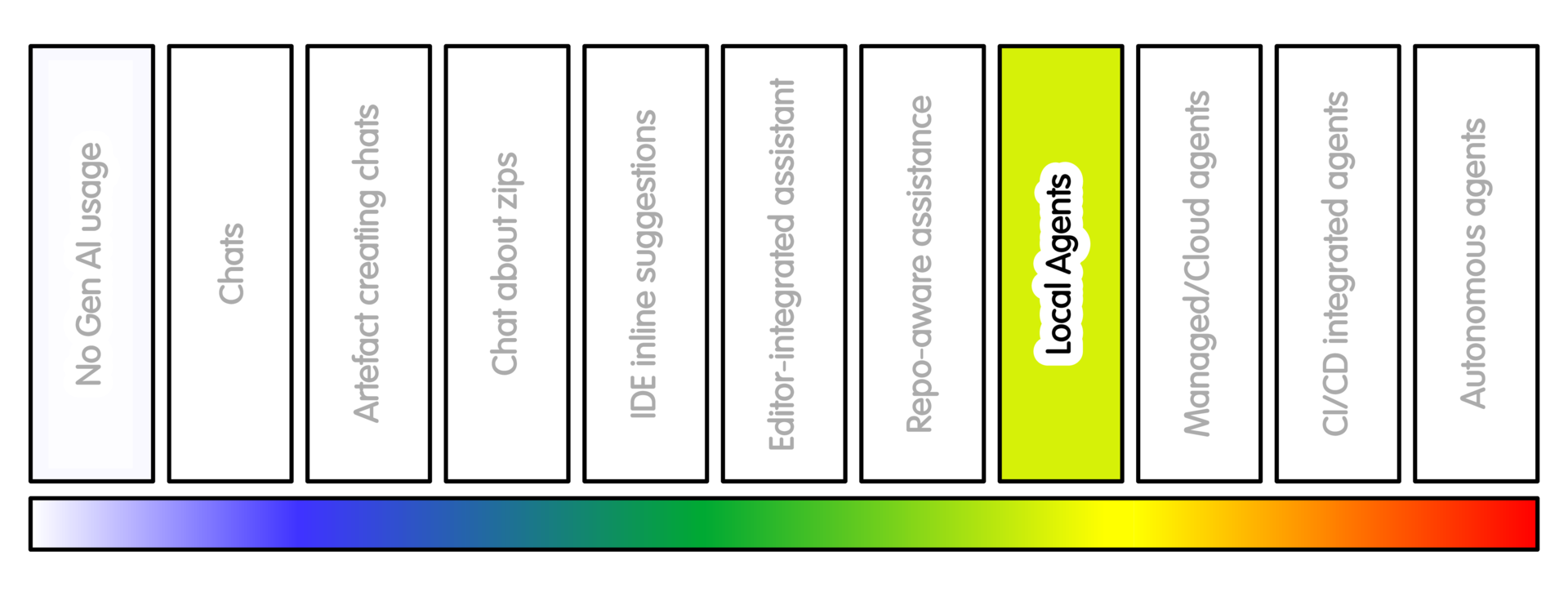
Overview
This is where the workflow changes substantially.
The tool is no longer only producing text. It may edit files, run commands, run tests, inspect failures and try again.
Examples include fixing a failing test, updating documentation and running link checks, applying a formatter, preparing a small patch, or investigating a bug in a disposable checkout.
Examples of local or locally controlled coding agents include Claude Code, Codex CLI, Aider, Cline, Zoo Code, Gemini CLI and similar terminal or editor agents.
These tools can read files, propose edits, make edits, and in some configurations run commands.
This is the sort of practice many professional non-research software engineers are now being encouraged to adopt. For research software the question is not simply “can this make changes faster?” The question is whether the project is ready for this style of work.
That often depends on tests, documentation, reproducible setup, version control practice, and whether someone can review what the agent has done.
Several related mechanisms may appear at this level:
-
Instruction files such as
AGENTS.md,.github/copilot-instructions.md,CLAUDE.md, Cursor Rules or tool-specific files tell agents how to work in a repository. They guide behaviour; they are not security controls. -
Skills, often represented by folders containing a
SKILL.md, package task-specific instructions, resources and sometimes scripts. They can make an agent more capable for a repeated workflow, but they need review. -
MCP servers connect an AI application to external tools, data sources or workflows. MCP can be useful, but every connection is also a permission grant.
For first use, avoid MCP, skills and broad command approval. Start with a disposable checkout, read-only investigation, and manual approval before edits or commands.
Getting Started
Use a separate local checkout where practical. Treat that checkout as the tool’s working area, not your main working copy.
Many of these tools, such as Claude Code, have an interactive interface. This is part conversational and part operational. Claude Code is mentioned here because it is widely used, can be used with different model backends, and has substantial external guidance available.
When getting started, the interactive interface is worth using.
If the tool offers to create or update a CLAUDE.md file, that can be useful initially.
Review that file before relying on it. It is project guidance, not a control.
Gemini, Codex and other tools have similar mechanisms.
Follow the cross-cutting practice: let the agent prepare changes, then pull or copy candidate changes into your own checkout.
Do not give the tool direct push access to a shared repository. If the tool can run Git commands, remove or disable Git remotes in its checkout.
Start with a narrow task.
A good first local-agent task is not: “fix the project”
A better first task is: “Run the tests, explain the failures, and propose a plan. Do not edit files yet.”
Give the agent a list of the following:
- the task
- the allowed files or areas
- the commands it may run
- the commands it must not run
- the checks that define success
- whether it may edit files
- whether it may install dependencies
- whether it may access the network
If the tool supports command approval, use it. If it supports read-only mode, start there.
A shell command is an instruction run in the terminal.
Some shell commands are harmless, such as listing files. Others can install packages, overwrite files, delete data, contact external services or change your Git repository.
If you are not sure what a command does, do not approve it.
This is another place where help from an RSE can be valuable.
A friendly setup pass can identify the right test command, create an AGENTS.md, prepare a clean checkout, and make the first task much safer.
Sample Appropriate Practice
Some sample prompts at this stage might look like this:
-
“You are working in a disposable checkout. Investigate this failing test. First explain the likely cause and propose a plan. Do not edit files yet.”
- “After I approve the plan, make the smallest local change.
Run only the relevant tests first.
Do not push, create a PR, install dependencies, or modify CI.”
- Note: enforce these constraints where possible. Do not rely only on the prompt.
-
“Prepare a documentation-only patch for the public API described in these files. Do not change implementation code. Run the documentation checks if available.”
-
“Run the test suite and report failures. Do not edit files yet. Group failures by likely cause.”
- “Investigate whether this warning is caused by our code or a dependency. Do not change dependency versions. Do not modify lock files.”
A safe local agentic loop is:
- Read-only investigation
- You approve or correct the plan
- Agent edits locally
- Agent runs narrowly scoped checks
- You review the diff
- You run broader checks
- You commit or discard
This preserves the productivity benefit while keeping consequential action with the person responsible for the work.
Concerns/Risks
The agent may “fix” a failing test by changing the test, weakening the check, removing coverage, altering fixtures, or changing behaviour outside the intended scope.
It may run commands that install packages, alter lock files, download data, call the network, change Git state, or modify files outside the expected area.
Local agents can accumulate hidden state. They may leave generated files, caches, changed environments, temporary data, modified notebooks or altered configuration behind.
Prompt injection matters here. The agent may read files, logs, issues or documentation that contain misleading instructions. Once the tool can act, untrusted project content is not just text. It can influence actions.
For some projects, this practice is best used with a clean copy, visible command approval, and a supervisor, maintainer or RSE available if the agent proposes unfamiliar actions.
Quality Practice
The key discipline is containment.
The agent should not have production credentials, secrets, write access to canonical repositories, or access to sensitive data unless explicitly approved.
Avoid broad shell authority. Do not allow destructive commands, dependency installation, network access or external service calls by default.
Review actions as well as outputs.
Check:
- what files changed, commands run, files created and tests run
- whether lock files, dependencies, notebooks or generated files changed
- whether the agent changed tests to fit the implementation
- whether the final changes still match the original task
Treat test success as evidence of action, not proof of correctness.
An agent can make the tests pass by weakening the test, deleting coverage, changing fixtures, altering behaviour, or moving the failure somewhere else.
Keep command output and tool transcripts where practical. They are part of the audit trail for what happened.
Commit only changes you understand. The commit message and rationale should be owned by the person accepting the work, even if the agent drafts text.
AI Intensity Considerations
Stay at this level when a local supervised agent solves a real problem. This may be useful when the project has a reproducible setup, tests that can guide the work, and a task small enough to review.
Consider lower AI intensity practices when:
- Repository-aware explanation is enough
- The task is mainly learning, debugging or understanding
- The project cannot provide a clean setup
- Tests are weak
- The agent wants unfamiliar commands
- Review takes longer than doing the work directly
Consider higher AI intensity practices when:
- Local supervised work is not enough and isolated parallel work, clean remote environments, or asynchronous execution would solve a real bottleneck.
Do not increase intensity because the tool can do more. Increase intensity only when the project can govern the extra access, cost and review burden.
Training

Michael Sparks
The University of Manchester / Software Sustainability Institute
Michael Sparks, "Constrained local tool-using agents (intensity 7)". everse.software. http://everse.software/RSQKit/constrained_local_tool_using_agents .